
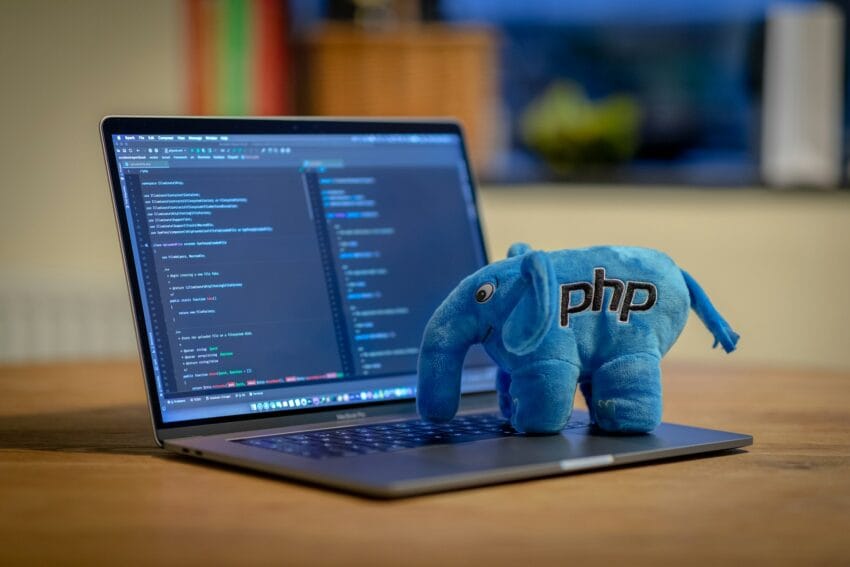
Web Host Pro explains why it still offers legacy PHP versions alongside PHP 8. It recommends using the newest compatible release, but says older PHP 5 and PHP 7 sites may need to keep running without immediate rewrites or forced upgrades.
The post says legacy support uses hardened packages with backported security patches, including CloudLinux HardenedPHP. It outlines a cautious upgrade process and emphasizes that older PHP can be patched for security, though it does not gain the features or performance of newer versions.
The general rule with PHP is simple:
The newer the version your website supports, the better.
Modern PHP releases offer better performance, improved security, bug fixes, and compatibility with current website software. PHP 8 is where most actively maintained websites should be today, and PHP.net currently maintains the newer PHP 8 releases while older PHP 5 and PHP 7 versions have reached end-of-life.
But real websites are not always that simple.
Some businesses still have older websites, custom applications, shopping carts, billing systems, or scripts that were written specifically for PHP 5 or PHP 7.
Those websites may have taken years to develop and thousands of dollars to build.
Sometimes upgrading the PHP version means rewriting a significant part of the website.
We understand that.
That is why Web Host Pro continues to make older PHP versions available alongside current PHP releases.
Use the Newest PHP Version Your Website Supports
Whenever possible, we recommend using the newest PHP version that works correctly with your website.
Newer PHP versions generally provide:
- Better performance
- Improved memory usage
- Modern security features
- Current software compatibility
- Ongoing official PHP updates
- Support for newer WordPress, plugins, and applications
If your website works properly on a current PHP release, there is usually very little reason to intentionally run an older version.
But compatibility matters too.
Some Websites Simply Need Older PHP
Imagine you have a custom website written ten or fifteen years ago.
It works.
Your customers use it.
Your business depends on it.
Then your hosting company suddenly removes PHP 5 or PHP 7 because those versions are no longer officially maintained by PHP.net.
Now your perfectly functional website stops working.
Technically, rewriting the website may be the ideal long-term solution.
Practically, that might require significant time and money.
We don’t think customers should suddenly lose access to a working website simply because their software is older.
PHP 5 and PHP 7 Are Still Available
Web Host Pro supports multiple generations of PHP so customers can choose the version their website actually requires.
Depending on the server and hosting environment, this can include legacy PHP 5 and PHP 7 releases along with modern PHP 8 versions.
You can normally select the PHP version for your website from the hosting control panel.
That means an older site can continue using its compatible PHP version while a newer site on the same hosting account can use a current release.
You are not forced to move every website at the same time.
But Isn’t Old PHP Insecure?
Normally, running an abandoned PHP version directly from its original unsupported packages would be a bad idea.
Official PHP support for PHP 5 and PHP 7 has ended.
That is why our legacy PHP support relies on hardened PHP packages designed specifically for hosting environments that still need older versions.
CloudLinux HardenedPHP backports security patches to PHP versions that are no longer maintained by the PHP development team. CloudLinux describes this specifically as providing security coverage for end-of-life PHP releases without forcing websites to upgrade to a newer PHP version.
For example, CloudLinux continues to provide extended security support for legacy PHP 5.6 and PHP 7.x releases through its lifecycle-support technologies.
This gives older websites an important layer of protection while their owners decide whether, when, or even if a major application rewrite makes sense.
Security Updates Do Not Make Old PHP New Again
There is an important distinction.
A hardened PHP 5 or PHP 7 installation receives security patches, but that does not suddenly give it all the features, performance improvements, or software compatibility of PHP 8.
Think of it like maintaining an older car.
You can replace worn parts, fix safety problems, and keep it running reliably.
That does not turn it into a brand-new model.
The same principle applies to PHP.
We can help keep legacy PHP available and patched, but if your application can move to a modern PHP release, upgrading is still the better long-term choice.
A Practical Upgrade Approach
You do not necessarily have to upgrade everything at once.
A sensible approach is:
- Check which PHP version your website currently uses.
- Make a backup.
- Test the website on the next PHP version.
- Check important pages, forms, logins, and applications.
- Fix compatibility problems if necessary.
- Continue moving forward until you reach the newest version your website reliably supports.
If something breaks, you can usually switch the PHP version back while you investigate the problem.
This is much safer than blindly changing PHP on a production website and hoping everything works.
Why We Continue Supporting Legacy PHP
Web hosting should accommodate real websites, not just ideal ones.
Some websites are brand new.
Some have been online for twenty years.
Some use WordPress.
Others contain custom PHP applications that would cost thousands of dollars to replace.
Our goal is to give customers a practical path forward.
Use modern PHP whenever you can.
Use hardened legacy PHP when you genuinely need it.
And when you’re ready to upgrade an older website, you can test newer PHP versions without being forced into an immediate rewrite.
That flexibility is one of the reasons Web Host Pro continues to support a wide range of PHP versions on our hosting platform.
If you have an older PHP website that another hosting provider no longer supports, our cPanel web hosting plans may be able to keep it running while giving you room to modernize it on your own schedule.